 RFDesk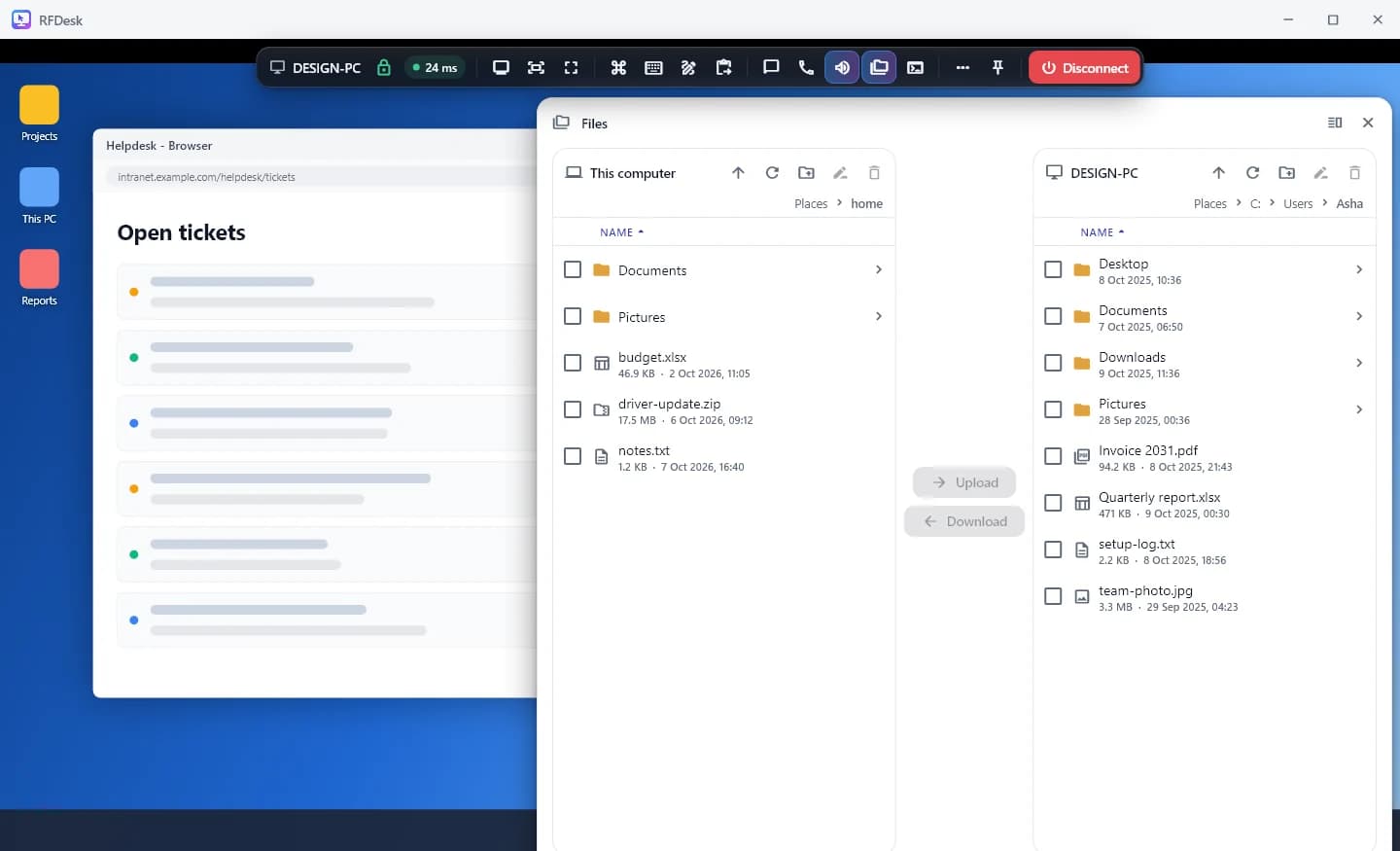
Two sides, one window
Press Files in the session toolbar. The file manager opens with This device on one side and the other device on the other. Open the folder you want on each side, select what you need and press Upload or Download. Progress is shown under Transfers, where a copy can also be cancelled.
Nothing is overwritten. A file whose name already exists is kept beside the old one, numbered.
Permission comes first
File transfer is one of the switches the person at the computer controls. When you open the file manager, they are asked whether this session may see their files, once per session. If file transfer is switched off there, by their organisation or by the plan, the file manager says so instead of failing silently.
Folders, drag and drop, and tidy deletes
The file manager is meant for real work, not only single files.
- Upload a folder copies a whole folder and tells you how many files it holds before it starts.
- Drop files from your computer onto the other device's side to upload them into the folder that is open there.
- New folder and Rename work on both sides.
- Deleting on the other device moves the item to its Recycle Bin, where the person there can restore it.
Resume a copy that broke
If the connection drops in the middle of a large file, the copy is listed under Unfinished copies the next time you are connected to that device. Press Resume to carry on from where it stopped, or Discard to drop it.
The clipboard carries files too
When both the clipboard and file transfer are allowed, files can travel by copy and paste. Files copied on the other computer are offered to you with a Fetch button. In the other direction, Send files to paste there puts your files on that computer's clipboard, ready for Ctrl+V. Copied text passes the same way, with Send my clipboard.
Limits worth knowing
- A single file can be up to 8 GB.
- Chrome and Edge on a computer can browse a folder you choose and save straight into it. Other browsers save downloads to their usual downloads folder, up to 1 GB each.
- A folder with more than 2,000 files or 500 folders has to be copied in smaller parts.
- A file that changed on the other device in the meantime cannot be resumed and has to be downloaded again.
- The file manager is not offered when the device being helped is an Android phone. A phone can receive files, into RFDesk's own folder.